Tiny Text
Miniature-looking letters for bios and short captions.
Your converted text will appear here.
Free Online Tool
Make tiny text you can paste into Instagram bios, Discord, and other plain-text fields. Also includes small caps, superscript, and subscript—convert in your browser, then copy.
Results update as you type. No account. Pick the card that matches what you need and hit Copy.
0 charactersConverts instantly in your browser
Miniature-looking letters for bios and short captions.
Quiet capital look without shouting in ALL CAPS.
Raised letters and digits for exponents and tiny notes.
Lowered digits for labels like H₂O and simple indices.
Wide spaced letters that stand out in plain text.
Letters and digits inside Unicode circles.
Convert in the browser, copy one style, paste where you need it.
A name, bio line, or short phrase is enough. Results update as you type. Nothing is uploaded for conversion.
Tiny or superscript for raised letters, small caps for compact capitals, subscript when you need lowered digits.
Hit Copy on that card and paste into your bio or chat. If the field rejects it, try a shorter line or another style.
If you searched for a small text generator, you probably want tiny or stylized letters you can paste into a bio, chat, or username—places where there is no font size menu. That is exactly what this tool does.
It does not shrink your font. It swaps supported letters for other Unicode characters that already look small, raised, lowered, or compact. Because the style is in the characters themselves, the look can survive copy and paste into apps that only accept plain text.
The catch: not every letter has a matching Unicode form, and not every app accepts every character. Paste a short test first. If a username field rejects it, try a shorter string or a different style.
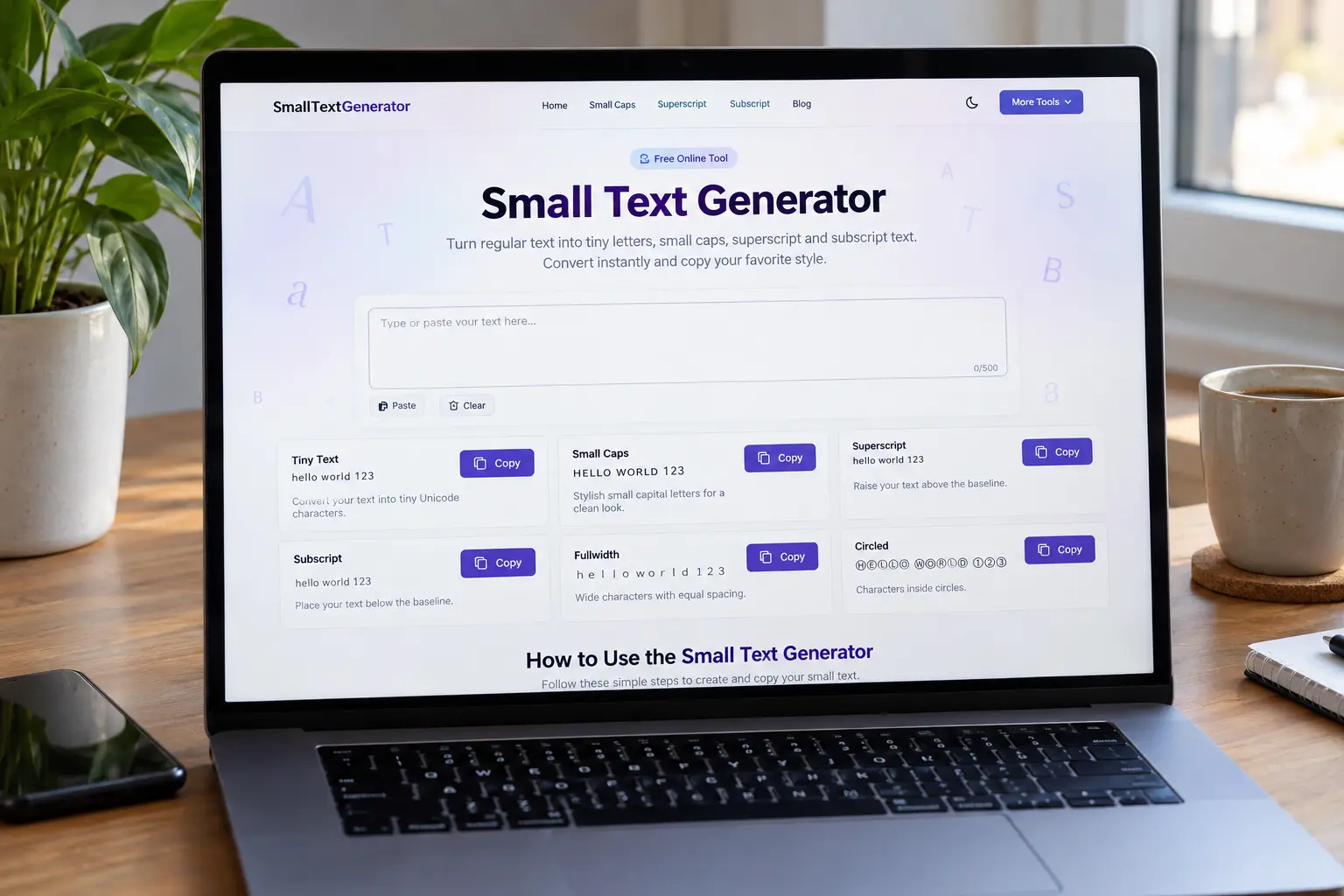
These examples come from the same converter as the tool above. Pick the style that matches what you came here to do.
Most “small text generator” searches end here: miniature-looking letters for a short bio line or caption. Tiny text on this site uses raised Unicode characters (the same set as superscript).
Sᵐᵃˡˡ ᵀᵉˣᵗ
Works best in short phrases. Letters without a raised form stay normal so the word stays readable.
Use superscript when you specifically need raised characters—an exponent like x², a quick note above the line, or the same tiny look under a “superscript” name. If that is your search, the dedicated page goes deeper on coverage and paste behavior.
Sᵐᵃˡˡ ᵀᵉˣᵗ
More detail on the superscript generator.
Small caps look like quiet capitals at roughly lowercase height. People use them when ALL CAPS feels too loud but they still want a styled name or bio. This is Unicode small capitals you can paste—not the small-caps button in Word.
ꜱᴍᴀʟʟ ᴛᴇxᴛ
See Unicode vs font small caps on the small caps generator.
Subscript is for lowered digits more than fancy letters. Think H₂O, CO₂, or a simple index in a message. Letter mappings are limited; numbers are the part you can usually trust.
H₂O
Formula-focused walkthrough on the subscript generator.
The usual destinations are social bios and captions (Instagram, TikTok), Discord messages and profile fields, WhatsApp chats, and gaming display names. Anywhere you can paste text but cannot change the font size is a candidate.
Bios and chat usually accept more characters than username or gamertag fields. A line that looks fine in a caption can still get blocked when you try it as a handle. Rules also change over time, and the same text can render differently on iPhone vs Android.
We do not claim guaranteed support for any platform. Convert, paste, and check. If something fails, shorten the text or switch styles.
Making text smaller in Notes or Word only changes how that app draws the same letters. Paste into Instagram and you get normal-sized text again, because the size never traveled with the characters.
A small text generator changes the characters. You leave with a different string—one that can still look tiny after paste. You also inherit Unicode’s gaps: incomplete alphabets and fonts that may not draw every glyph the same way.
There is no official tiny, raised, or small-cap version of every letter. When a mapping does not exist, this tool leaves the original character alone. Deleting it would make names and words harder to read for no good reason.
Spaces, punctuation, line breaks, and emoji stay as you typed them for the same reason—they are part of the message.
Straight answers to what people ask before they paste tiny text into a bio or chat.
Yes—free to use, no account, no install. Open the page, convert, copy.
It maps letters and digits you type to Unicode characters that look tiny, raised, lowered, or compact. The swap happens in your browser from fixed character lists, not from changing font size.
Yes. Use the Copy button on the style you want, then paste into the app. If your browser blocks clipboard access, select the result text and copy it yourself.
Often in bios, captions, and messages. Usernames and some profile fields are pickier and may reject characters. Always paste and look at the live preview in that app—we cannot promise every field will accept every style.
Unicode simply does not define a small, raised, or subscript form for every letter. Leaving the original character is better than deleting it or faking a glyph that does not exist.
No. Font size is formatting that usually disappears when you paste into a plain-text field. Tiny text here is a different set of characters, which is why the look can stick after paste.
No. Conversion runs on your device. We do not upload your input to convert it, and we do not store what you type in the tool.
Each phone, computer, and app uses its own fonts. If a glyph is missing, you might see a box, a fallback letter, or slightly different spacing. Checking on the device you care about is the only reliable test.